Configuration System
Erfgoedzoeker is configured through a single JSON file. A Zod schema is the single source of truth from which both the JSON Schema and Erfgoedzoeker TypeScript types are derived.
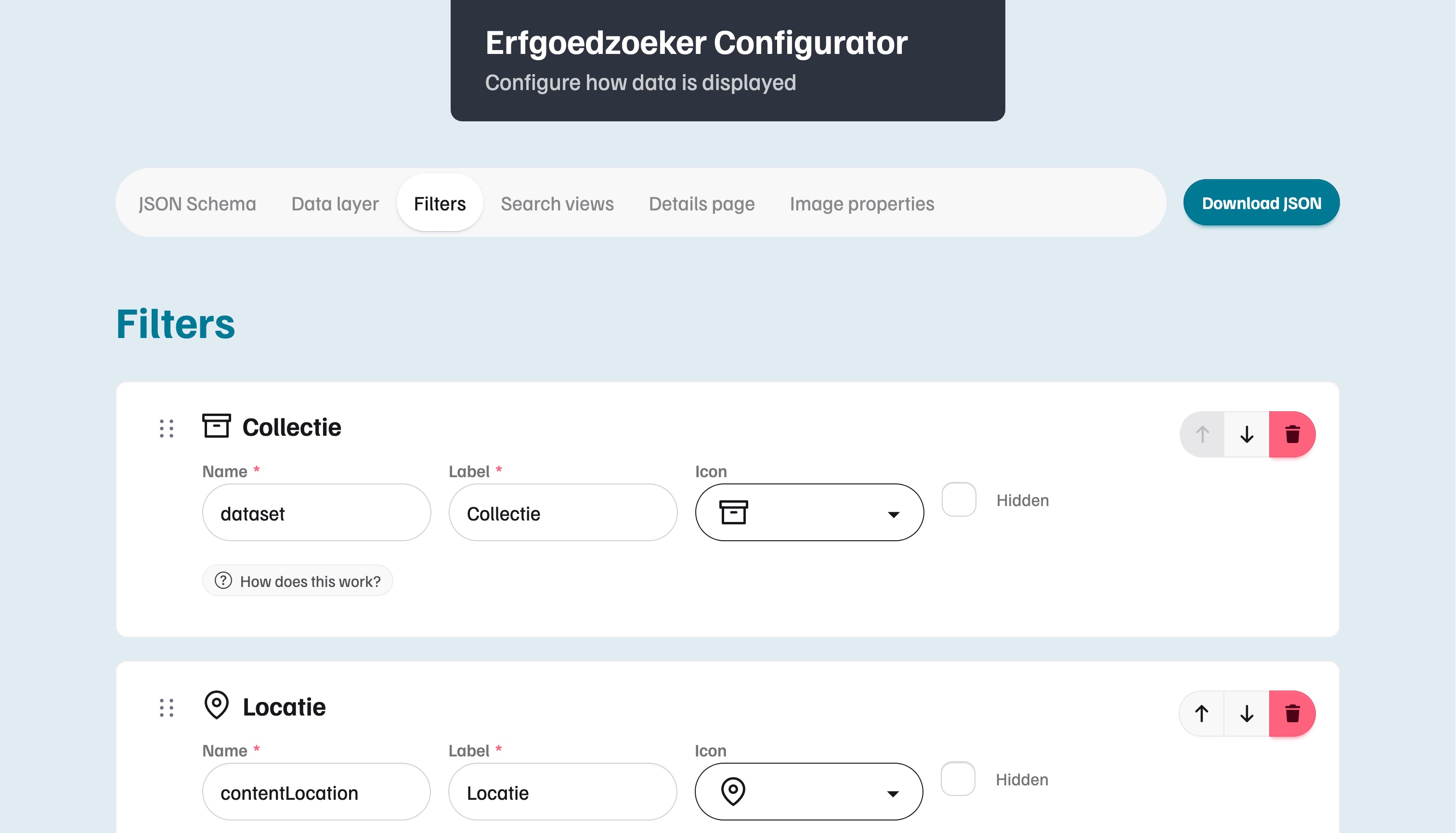
The Erfgoedzoeker Configurator allows you to generate a Erfgoedzoeker configuration file (erfgoedzoeker.config.json) through an intuitive web interface.
Configuring Erfgoedzoeker
Use the Configurator app (a standalone React app) to edit configuration:
- Run the Configurator:
pnpm run configurator:dev - Open
http://localhost:5173/and adjust settings - Download the generated JSON
- Replace
apps/erfgoedzoeker/public/config/erfgoedzoeker.config.jsonwith the downloaded file
If you prefer, you can also edit the JSON config file (erfgoedzoeker.config.json) directly in your editor. The $schema reference at the top provides autocompletion and validation in your editor:
{
  "$schema": "./erfgoedzoeker.config.schema.json",
  "api": {
    "type": "graphql",
    "baseUrl": "http://localhost:4000/graphql"
  },
  "facets": [],
  "views": { ... }
}
How It Works
The Zod schema is the single source of truth. It generates the JSON Schema and provides TypeScript types and runtime validation directly to the Erfgoedzoeker app. The Configurator uses the JSON Schema to render its form UI and outputs a JSON config file that the app loads at startup.
Modifying the Schema
When adding or changing a configurable property, update the Zod schema in packages/config-schema/src/, then run pnpm run generate:config-schema to regenerate the JSON Schema. The Configurator and editor tooling pick up the changes automatically.
If your schema change affects the shape of the config (new required fields, renamed keys, etc.), you might need to update erfgoedzoeker.config.json accordingly (see Configuring Erfgoedzoeker).
Icon Registry
The icon registry (packages/icon-registry/src/index.ts) maps string icon keys to SVG strings from the @ng-icons library. The available keys are defined as a Zod enum (IconKey) in packages/config-schema/src/icon.schema.ts.
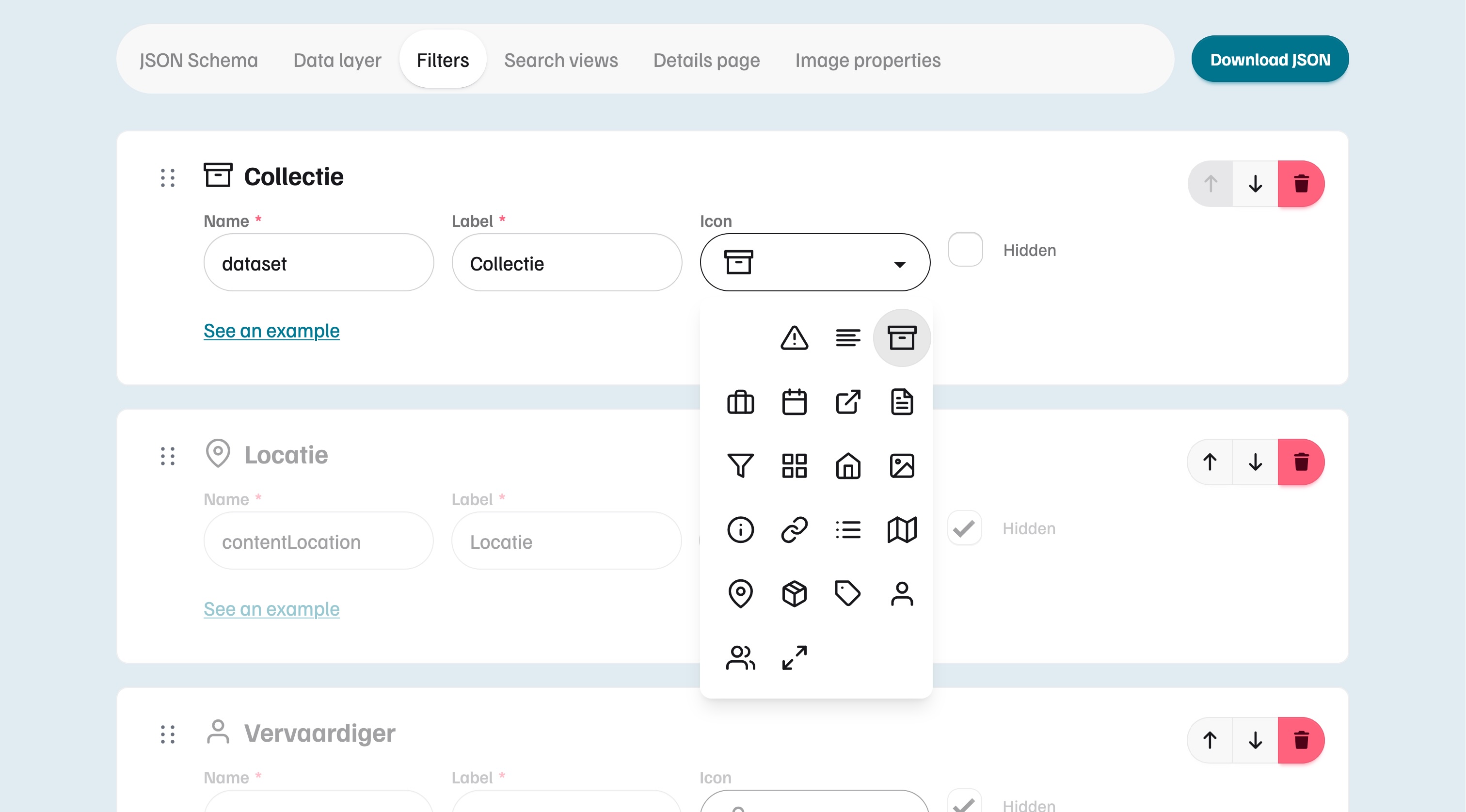
Selecting a facet icon from the icon registry through the Erfgoedzoeker Configurator.
Adding a New Icon
1. Add the key to the schema
In packages/config-schema/src/icon.schema.ts, add the new key to the IconKeySchema enum:
export const IconKeySchema = z.enum([
  // ... existing keys
  'new-icon',
]);
Then regenerate the JSON Schema so the Configurator and editor tooling pick it up:
pnpm run generate:config-schema2. Register the icon
Import the icon from @ng-icons/feather-icons (or another @ng-icons icon set) and add it to ICON_REGISTRY in packages/icon-registry/src/index.ts:
import {
  // ... existing imports
  featherNewIcon,
} from '@ng-icons/feather-icons';

export const ICON_REGISTRY: Record<IconKey, string> = {
  // ... existing entries
  'new-icon': featherNewIcon,
};